Option Explicit
Option Base 0
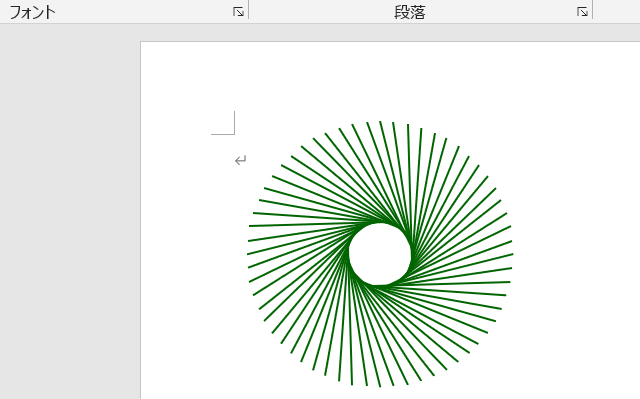
Public Sub 丸く並ぶ線描画マクロ()
Const CIRCXPOS = 180 '円の中心位置 X
Const CIRCYPOS = 160 ' Y
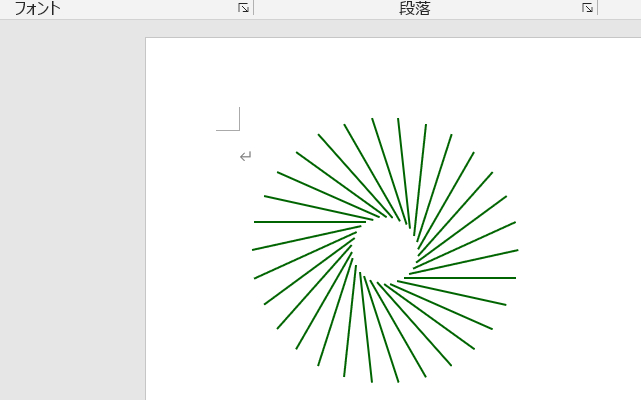
Const LINECONT = 30 '線の数
Const OUTCCRAD = 100 '外円の半径
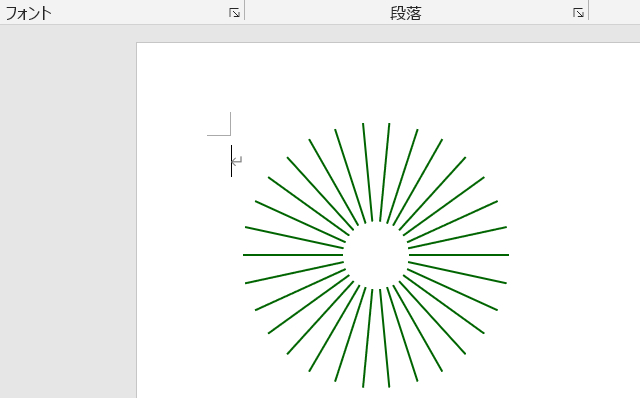
Const INNCCRAD = 25 '内円の半径
Const DISTOANG = 90 'ねじれ角度
'---------------------------------------------------------------------------
Dim Ip As Integer, intAng As Integer, dblRd As Double
Dim intXp(1) As Integer, intYp(1) As Integer
'
dblRd = (4 * Atn(1)) / 180
intAng = 360 \ LINECONT
For Ip = 0 To LINECONT - 1
'始点
intXp(0) = OUTCCRAD * Cos(dblRd * (intAng * Ip)) + CIRCXPOS
intYp(0) = OUTCCRAD * Sin(dblRd * (intAng * Ip)) + CIRCYPOS
'終点
intXp(1) = INNCCRAD *Cos(dblRd * (intAng * Ip +DISTOANG)) _ + CIRCXPOS
intYp(1) = INNCCRAD *Sin(dblRd * (intAng * Ip + DISTOANG)) _
+ CIRCYPOS
'
With ActiveDocument.Shapes.AddLine(intXp(0), intYp(0), _
intXp(1), intYp(1)).Line
.ForeColor.RGB = RGB(0, 100, 0) '←線色
.Weight = 1.5 '←線の太さ
.DashStyle = msoLineSolid '←線のスタイル
'
.BeginArrowheadStyle = msoArrowheadNone '←端矢印(始
.EndArrowheadStyle = msoArrowheadNone '←端矢印(終
End With
Next Ip
End Sub
LINECONT = 60 '線の数
Const DISTOANG = 45 'ねじれ角度
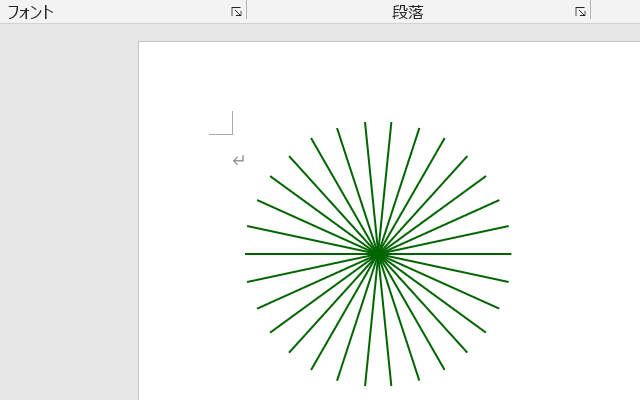
Const DISTOANG = 0 'ねじれ角度
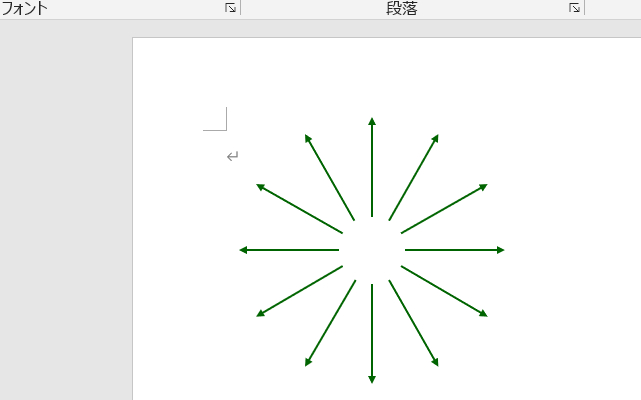
Const INNCCRAD = 0 '内円の半径
Const LINECONT = 12 '線の数
Const DISTOANG = 0 'ねじれ角度
.BeginArrowheadStyle = msoArrowheadTriangle '←矢印(始
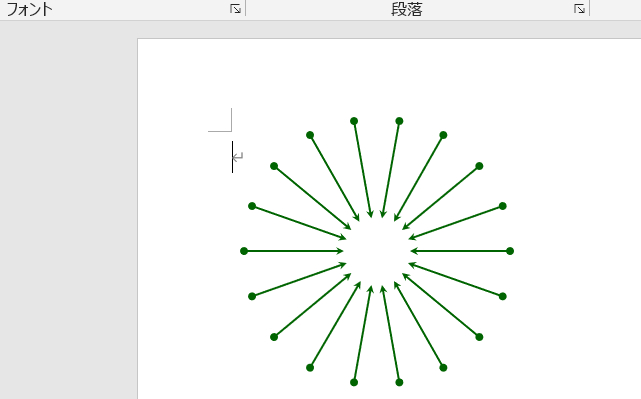
Const LINECONT = 18 '線の数
Const DISTOANG = 0 'ねじれ角度
.BeginArrowheadStyle = msoArrowheadOval '←矢印(始
.EndArrowheadStyle = msoArrowheadStealth '←矢印(終
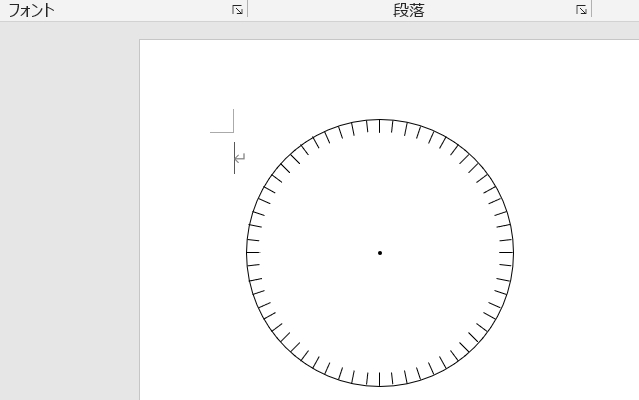
Public Sub 丸く並ぶ線描画マクロ2()
Const CIRCXPOS = 180 '円の中心位置 X
Const CIRCYPOS = 160 ' Y
Const LINECONT = 60 '線の数
Const OUTCCRAD = 100 '外円の半径
Const INNCCRAD = 90 '内円の半径
Const DISTOANG = 0 'ねじれ角度
Const CIRCCENT = 1 '中央の丸の半径
'---------------------------------------------------------------------------
Dim Ip As Integer, intAng As Integer, dblRd As Double
Dim intXp(1) As Integer, intYp(1) As Integer
'
dblRd = (4 * Atn(1)) / 180
intAng = 360 \ LINECONT
For Ip = 0 To LINECONT - 1
'始点
intXp(0) = OUTCCRAD * Cos(dblRd * (intAng * Ip)) + CIRCXPOS
intYp(0) = OUTCCRAD * Sin(dblRd * (intAng * Ip)) + CIRCYPOS
'終点
intXp(1) = INNCCRAD*Cos(dblRd * (intAng * Ip + DISTOANG)) _
+ CIRCXPOS
intYp(1) = INNCCRAD*Sin(dblRd * (intAng * Ip + DISTOANG)) _
+ CIRCYPOS
'
With ActiveDocument.Shapes.AddLine(intXp(0), intYp(0), _
intXp(1), intYp(1)).Line
.ForeColor.RGB = RGB(0, 0, 0) '←線色
.Weight = 0.75 '←線の太さ
.DashStyle = msoLineSolid '←線のスタイル
End With
Next Ip
'外円
With ActiveDocument.Shapes.AddShape(msoShapeOval, _
CIRCXPOS - OUTCCRAD, CIRCYPOS - OUTCCRAD, _
OUTCCRAD * 2, OUTCCRAD * 2)
.Fill.Visible = False
.Line.ForeColor.RGB = RGB(0, 0, 0)
.Line.Visible = True
End With
'中央の黒丸
With ActiveDocument.Shapes.AddShape(msoShapeOval, _
CIRCXPOS - CIRCCENT, CIRCYPOS - CIRCCENT, _
CIRCCENT * 2, CIRCCENT * 2)
.Fill.ForeColor.RGB = RGB(0, 0, 0)
.Fill.Visible = True
.Line.ForeColor.RGB = RGB(0, 0, 0)
.Line.Visible = True
End With
End Sub