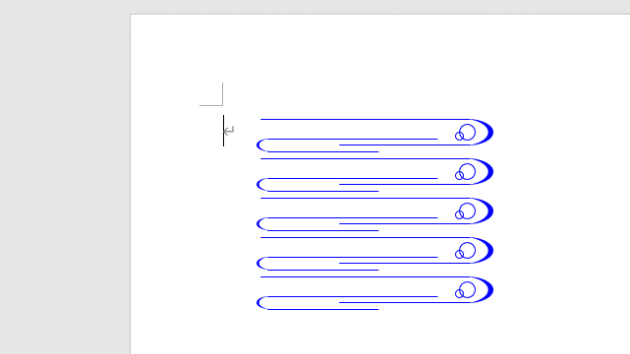
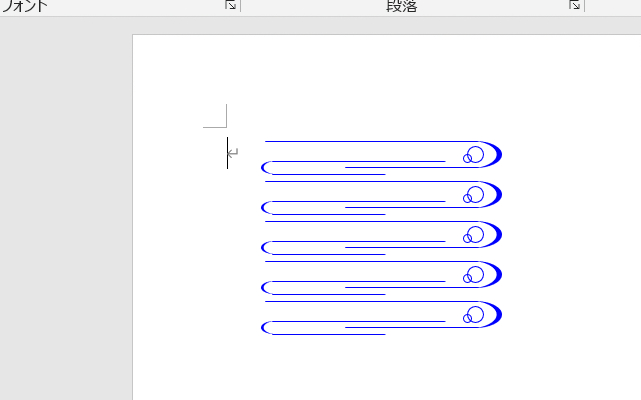
Option Explicit
Option Base 0
Public Sub 流水文様描画マクロ()
Const RNWTLEFT = 100 '描画開始位置X
Const RNWTTOPP = 80 ' Y
'*大きな流れ
Const RNWTULN1 = 160 '上部線長さ
Const RNWTDLN1 = 100 '下部
Const RNWTCVR1 = 20 '上下間隔
'*小さな流れ
Const RNWTHPS2 = 15
Const RNWTULN2 = 125 '上部線長さ
Const RNWTDLN2 = 80 '下部
Const RNWTCVR2 = 10 '上下間隔
'*水泡1
Const RNWTVBX1 = 151 '位置
Const RNWTVBY1 = 4
Const RNWTVBD1 = 12 '直径
'*水泡2
Const RNWTVBX2 = 148 '位置
Const RNWTVBY2 = 10
Const RNWTVBD2 = 6 '直径
'
Const RWWTHSPC = 30 '水平間隔
Const RWWTROWS = 5 '段数
Const RNWTLNWE = 0.75 '線の太さ
'---------------------------------------------------------------------------
Dim Ip As Integer, lngCol As Long
Dim intDxp As Integer, intDyp As Integer
'
lngCol = vbBlue '←線色(青
For Ip = 0 To RWWTROWS - 1
intDxp = RNWTLEFT
intDyp = RNWTTOPP + RWWTHSPC * Ip
'*大きな流れ
With ActiveDocument.Shapes.AddLine( _
intDxp, intDyp, intDxp + RNWTULN1, _
intDyp).Line
.ForeColor.RGB = lngCol
.Weight = RNWTLNWE
End With
'
With ActiveDocument.Shapes.AddLine( _
intDxp + RNWTULN1, intDyp + RNWTCVR1, _
intDxp + RNWTULN1 - RNWTDLN1, _
intDyp + RNWTCVR1).Line
.ForeColor.RGB = lngCol
.Weight = RNWTLNWE
End With
'*カーブ
With ActiveDocument.Shapes.AddShape( _
msoShapeMoon, intDxp + RNWTULN1 - 3, _
intDyp, RNWTCVR1, RNWTCVR1)
.Fill.ForeColor.RGB = lngCol '←塗りつぶし色
.Fill.Visible = True '←塗りつぶし有無
.Line.Visible = False '←線の有無
.Adjustments(1) = 0.2
.Flip msoFlipHorizontal
End With
''*小さな流れ
With ActiveDocument.Shapes.AddLine( _
intDxp + RNWTCVR2 / 2, intDyp + RNWTHPS2, _
intDxp + RNWTCVR2 + RNWTULN2, _
intDyp + RNWTHPS2).Line
.ForeColor.RGB = lngCol
.Weight = RNWTLNWE
End With
'
With ActiveDocument.Shapes.AddLine( _
intDxp + RNWTCVR2 / 2, _
intDyp + RNWTHPS2 + RNWTCVR2, _
intDxp + RNWTCVR2 + RNWTDLN2, _
intDyp + RNWTHPS2 + RNWTCVR2).Line
.ForeColor.RGB = lngCol
.Weight = RNWTLNWE
End With
'*カーブ
With ActiveDocument.Shapes.AddShape( _
msoShapeMoon, intDxp - 3, _
intDyp + RNWTHPS2, _
RNWTCVR2, RNWTCVR2)
.Fill.ForeColor.RGB = lngCol '←塗りつぶし色
.Fill.Visible = True '←塗りつぶし有無
.Line.Visible = False '←線の有無
.Adjustments(1) = 0.2
End With
'*水泡1
With ActiveDocument.Shapes.AddShape( _
msoShapeOval, intDxp + RNWTVBX1, _
intDyp + RNWTVBY1, RNWTVBD1, RNWTVBD1)
.Fill.Visible = False
.Line.ForeColor.RGB = lngCol
.Line.Visible = True
.Line.Weight = RNWTLNWE
End With
'*水泡2
With ActiveDocument.Shapes.AddShape( _
msoShapeOval, intDxp + RNWTVBX2, _
intDyp + RNWTVBY2, RNWTVBD2, RNWTVBD2)
.Fill.Visible = False
.Line.ForeColor.RGB = lngCol
.Line.Visible = True
.Line.Weight = RNWTLNWE
End With
Next Ip
End Sub
《蛇足》
「流水文様」を検索すると、多様な文様が見つかり、流水文様が他の文様のように定まってはいないようだ。まさに、「みずもの」。なので、独自の流水文様を作成した。