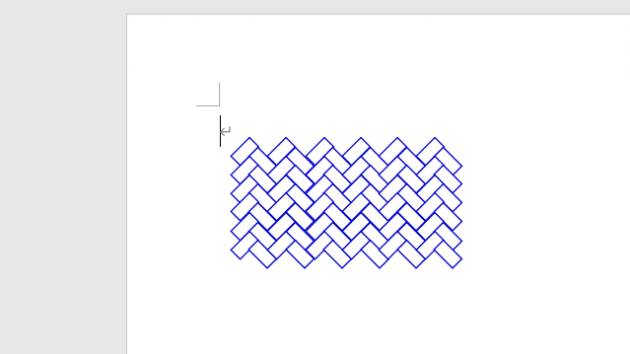
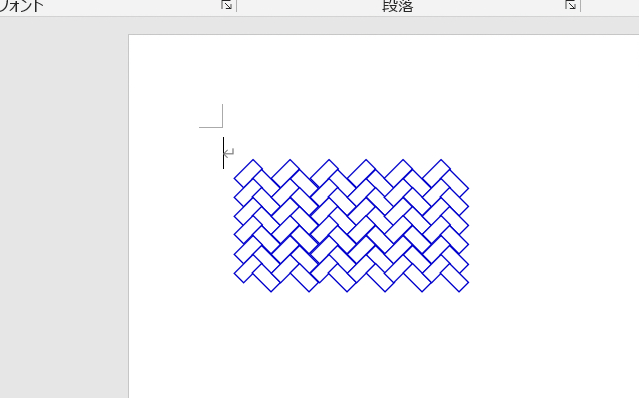
Public Sub 網代文様描画マクロ()
Const WICKLEFT = 80 '描画開始位置X
Const WICKTOPP = 100 ' Y
Const WICKLENG = 10 '長方形短辺長さ
Const WICKCOLS = 12 '列数
Const WICKROWS = 6 '行数
'
Const WICKLNWE = 1 '線の太さ
'---------------------------------------------------------------------------
Dim Ip As Integer, Jp As Integer
Dim intLLn As Integer, lngCol(1) As Long
Dim intXps As Integer, intYps As Integer
Dim sngLng As Single
'
lngCol(0) = vbWhite '←塗りつぶし色
lngCol(1) = RGB(0, 0, 205) '←線色
intLLn = WICKLENG * 2: sngLng = WICKLENG / Sqr(2)
For Jp = 0 To WICKROWS - 1
intYps = WICKTOPP + (sngLng * 2) * Jp
For Ip = 0 To WICKCOLS - 1 Step 2
intXps = WICKLEFT + (sngLng * 4) * (Ip \ 2)
'*右向き長方形
With ActiveDocument.Shapes.AddShape(msoShapeRectangle, _
intXps, intYps, intLLn, WICKLENG)
.Fill.Visible = True
.Fill.ForeColor.RGB = lngCol(0)
.Line.Visible = True
.Line.ForeColor.RGB = lngCol(1)
.Rotation = -45
End With
'*左向け長方形
With ActiveDocument.Shapes.AddShape(msoShapeRectangle, _
intXps + sngLng * 2, intYps + sngLng, intLLn, WICKLENG)
.Fill.Visible = True
.Fill.ForeColor.RGB = lngCol(0)
.Line.Visible = True
.Line.ForeColor.RGB = lngCol(1)
.Rotation = 45
End With
Next Ip
Next Jp
End Sub
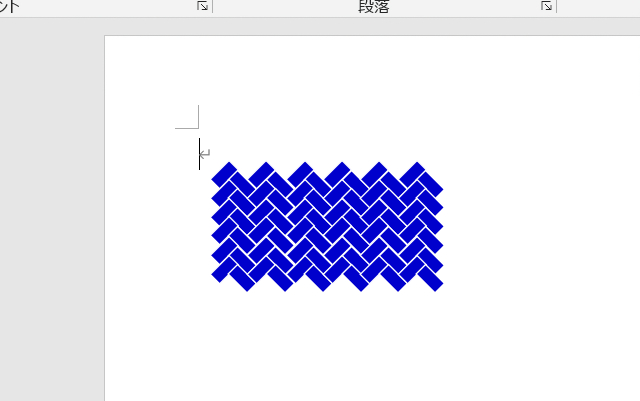
lngCol(0) = RGB(0, 0, 205) '←塗りつぶし色
lngCol(1) = vbWhite '←線色