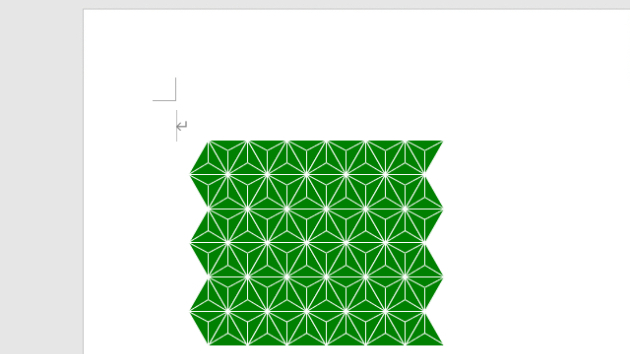
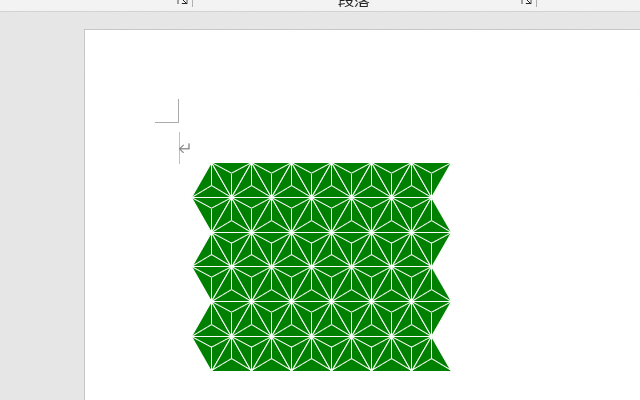
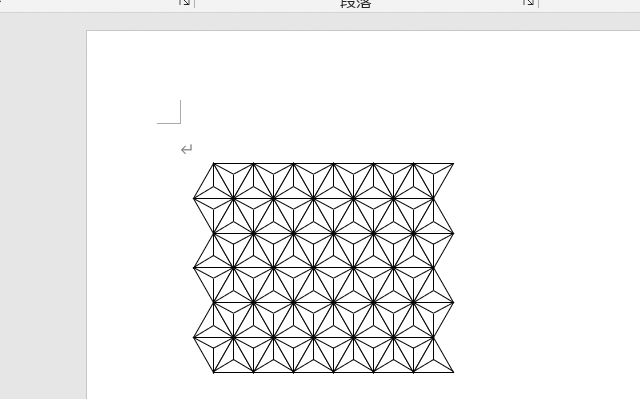
Option Explicit
Option Base 0
Public Sub 麻の葉文様描画マクロ()
Const HEMPLEFT = 80 '描画開始位置X
Const HEMPTOPP = 100 ' Y
Const HEMPLENG = 30 '三角形一辺長さ
Const HEMPCOLS = 12 '列数
Const HEMPROWS = 6 '行数
'
Const HEMPLNWE = 1 '線の太さ
'---------------------------------------------------------------------------
Dim Ip As Integer, Jp As Integer, Kp As Integer
Dim intHei As Integer, blnUpp As Boolean
Dim lngCol(1) As Long
Dim intLft As Integer, intTop As Integer
Dim intTxp(2) As Integer, intTyp(2) As Integer
Dim intGxp As Integer, intGyp As Integer
'
lngCol(0) = RGB(0, 128, 0) '←塗りつぶし色
lngCol(1) = vbWhite '←線色
'
intHei = CInt(HEMPLENG / 2 * Sqr(3)) '←三角形高さ
For Jp = 0 To HEMPROWS - 1
intTop = HEMPTOPP + intHei * Jp
For Ip = 0 To HEMPCOLS - 1
intLft = HEMPLEFT + (HEMPLENG / 2) * Ip
'
blnUpp = IIf(((Jp + Ip) Mod 2) = 0, True, False)
'*三角形描画
With ActiveDocument.Shapes.AddShape( _
msoShapeIsoscelesTriangle, _
intLft, intTop, HEMPLENG, intHei)
.Fill.Visible = True
.Fill.ForeColor.RGB = lngCol(0)
.Line.Visible = True
.Line.ForeColor.RGB = lngCol(1)
.Line.Weight = HEMPLNWE
.Rotation = IIf(blnUpp = True, 0, 180)
End With
'*三角頂点座標把握
intTxp(0) = intLft: intTxp(1) = intLft + HEMPLENG \ 2
intTxp(2) = intLft + HEMPLENG
intTyp(0) = IIf(blnUpp = True, intTop + intHei, intTop)
intTyp(1) = IIf(blnUpp = True, intTop, intTop + intHei)
intTyp(2) = IIf(blnUpp = True, intTop + intHei, intTop)
'*三角形重心座標算出
intGxp = (intTxp(0) + intTxp(1) + intTxp(2)) \ 3
intGyp = (intTyp(0) + intTyp(1) + intTyp(2)) \ 3
'*三角形内 三線描画
For Kp = 0 To 2
With ActiveDocument.Shapes.AddLine(intGxp, intGyp, _
intTxp(Kp), intTyp(Kp)).Line
.ForeColor.RGB = lngCol(1)
.Weight = HEMPLNWE
End With
Next Kp
Next Ip
Next Jp
End Sub
lngCol(0) = vbWhite '←塗りつぶし色
lngCol(1) = vbBlack '←線色
'