Option Explicit
Option Base 0
'
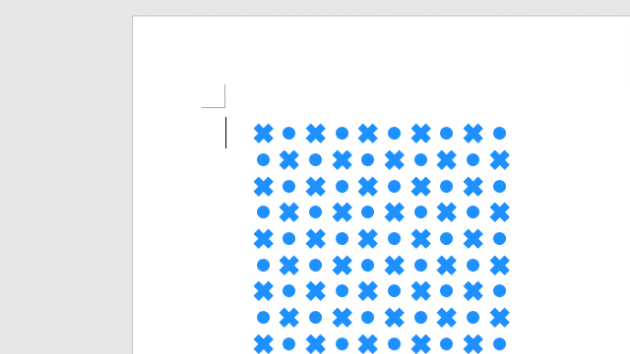
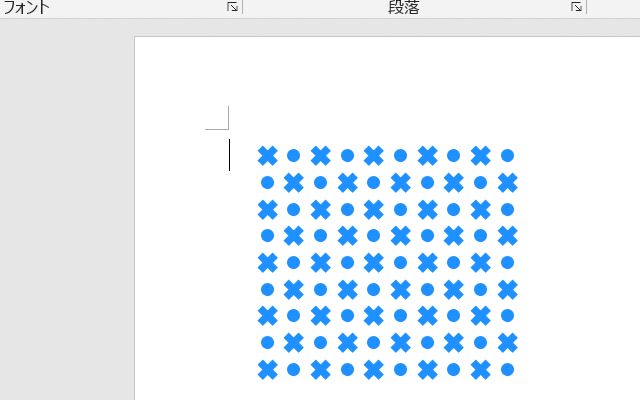
Public Sub 御召十模様描画マクロ()
Const CCRSLEFT = 90 '描画開始位置X
Const CCRSTOPP = 80 ' Y
'
Const CCRSVSPC = 20 '横-間隔
Const CCRSHSPC = 20 '縦-間隔
'
Const CCRSCSSZ = 16 '十字形サイズ
Const CCRSCISZ = 10 '円形サイズ
'
Const CCRSCOLS = 10 '横/描画数
Const CCRSROWS = 9 '縦/描画数
'
Const CCRSCRAJ = 0.325 '十字形属性
'---------------------------------------------------------------------------
Dim Ip As Integer, Jp As Integer
Dim intCxp As Integer, intCyp As Integer
Dim lngCol As Long
'
lngCol = RGB(30, 144, 255) '←塗りつぶし色
For Jp = 0 To CCRSROWS - 1
intCyp = CCRSTOPP + CCRSHSPC * Jp _
+ CCRSHSPC \ 2
For Ip = 0 To CCRSCOLS - 1
intCxp = CCRSLEFT + CCRSVSPC * Ip _
+ CCRSVSPC \ 2
'
If ((Ip + Jp) Mod 2) = 0 Then
'*十字形描画
With ActiveDocument.Shapes.AddShape( _
msoShapeCross, _
intCxp - CCRSCSSZ \ 2, _
intCyp - CCRSCSSZ \ 2, _
CCRSCSSZ, CCRSCSSZ)
.Fill.Visible = msoTrue
.Fill.ForeColor.RGB = lngCol
.Line.Visible = msoFalse
.Adjustments(1) = CCRSCRAJ
.Rotation = 45 '斜めに
End With
Else
'*円形描画
With ActiveDocument.Shapes.AddShape( _
msoShapeOval, _
intCxp - CCRSCISZ \ 2, _
intCyp - CCRSCISZ \ 2, _
CCRSCISZ, CCRSCISZ)
.Fill.Visible = msoTrue
.Fill.ForeColor.RGB = lngCol
.Line.Visible = msoFalse
End With
End If
Next Ip
Next Jp
End Sub